Inbox & Pipeline
Every conversation. A clear next step.
Grialink Inbox & Pipeline combines a shared customer inbox with a sales CRM. Your team can manage connected messaging channels, contact records, conversation assignments and opportunities by stage without losing the context of each customer.
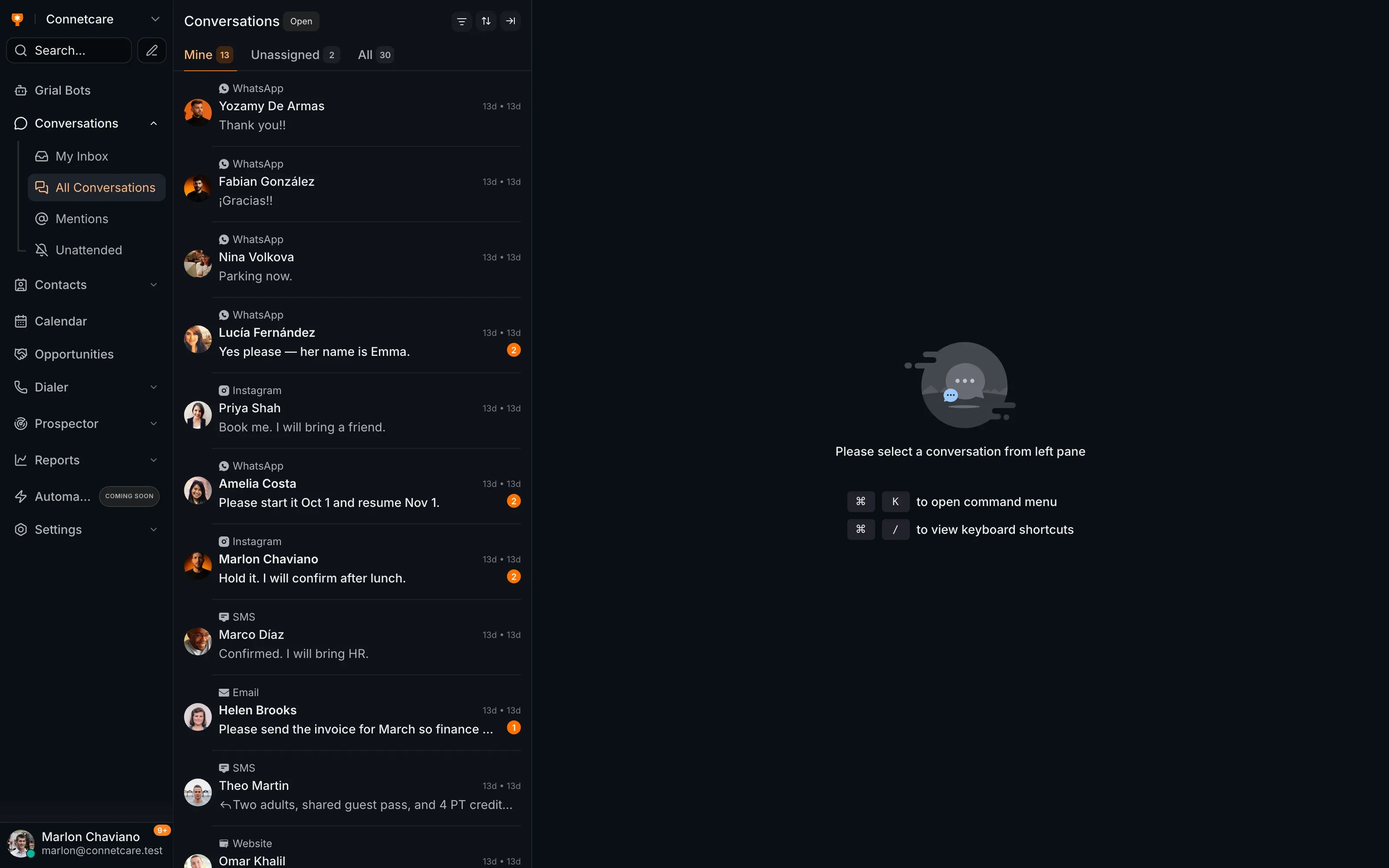
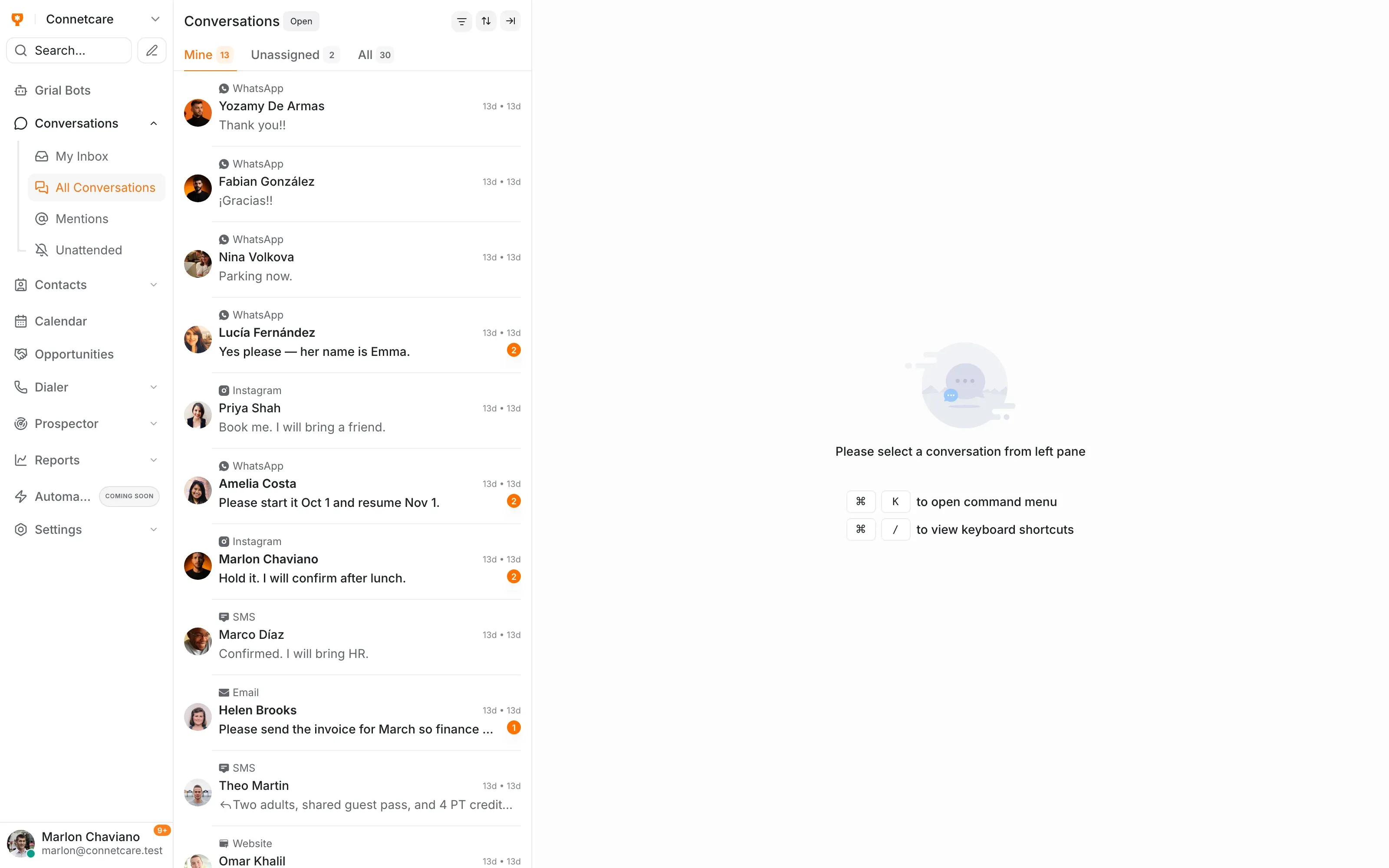
WhatsApp, email, web chat and more in one place
- Every channel, one inbox
- Stages you configure
- Owner and next step
- Kanban or table
What the workspace gives your team
-
Shared inbox
Conversations belong to the business, not to one person's phone.
-
Private notes
Internal context on the thread, invisible to the client.
-
Assignment
Every conversation has a name against it.
-
Configurable stages
A pipeline that matches how your treatments actually sell.
-
Kanban and table
Drag the board, or work a list — same data either way.
-
Stage conversion
See where opportunities stall instead of guessing.
The pipeline
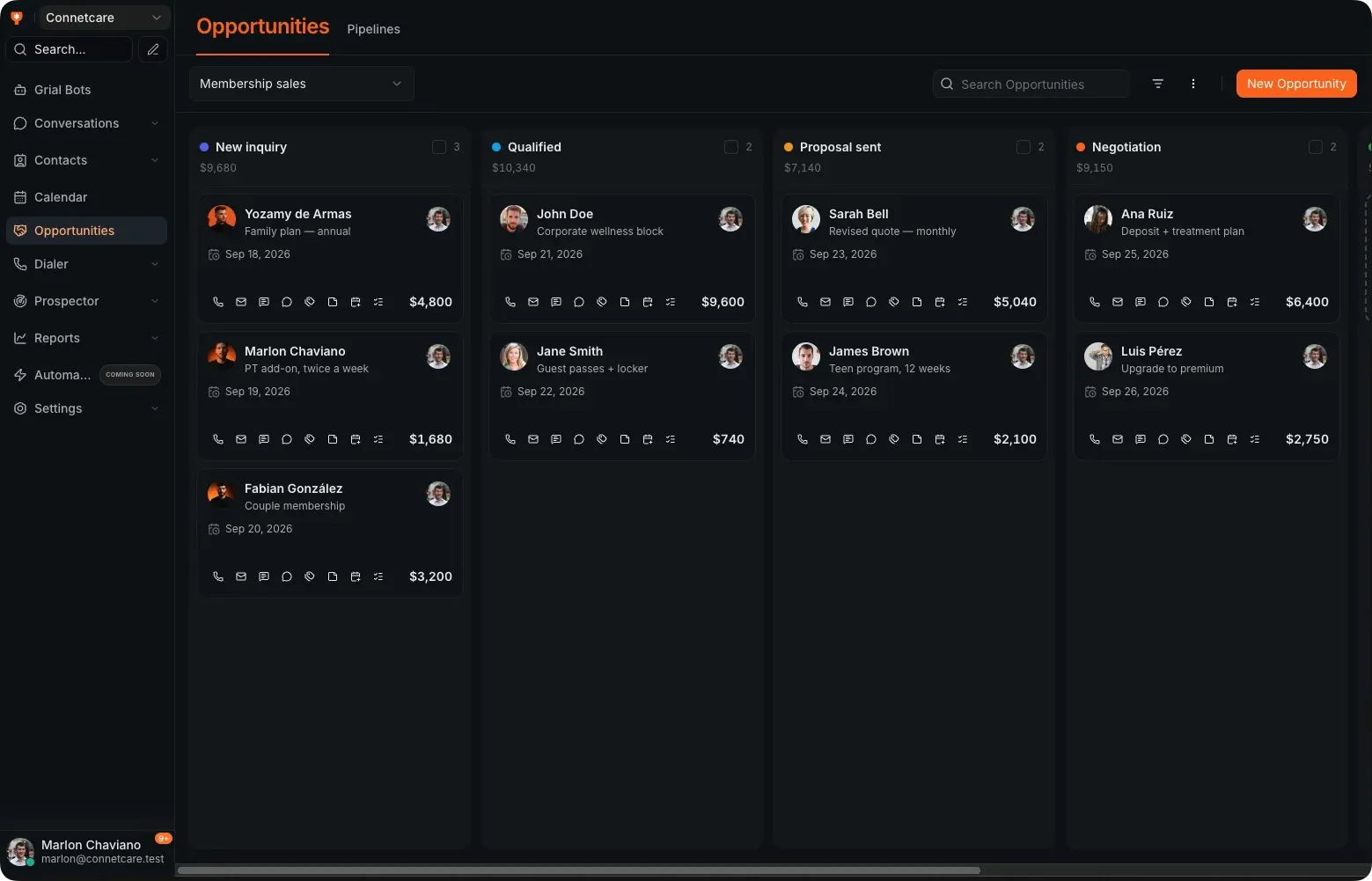
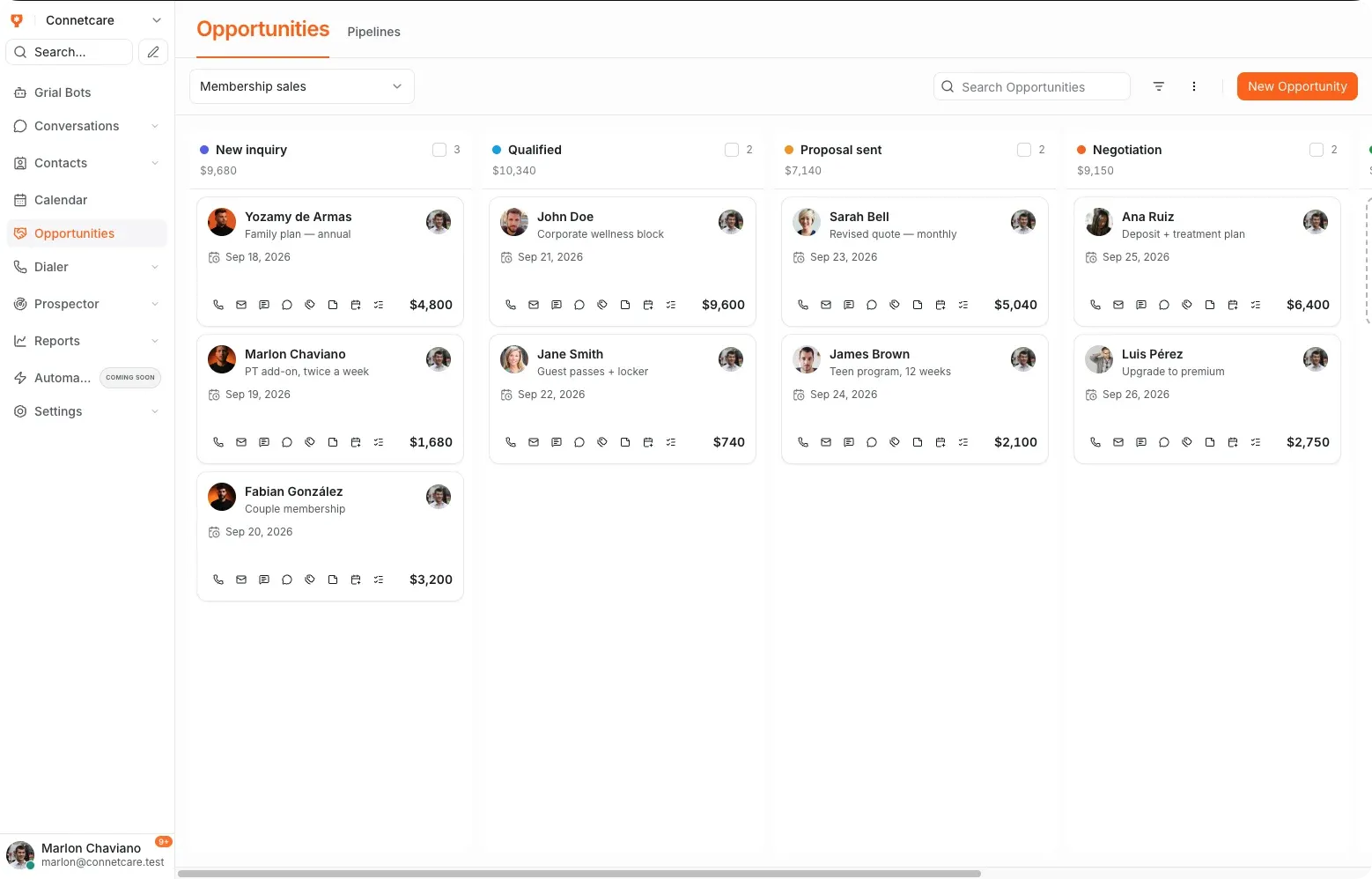
Every opportunity has an owner and a date
A staged pipeline built for the way a business actually sells, rather than a generic CRM you have to bend into shape.
- Stages configurable per service type
- Value, owner and close date on every opportunity
- Kanban and table views of the same pipeline
- Activity and notes tied to the client record
- Conversion measured stage by stage
The inbox
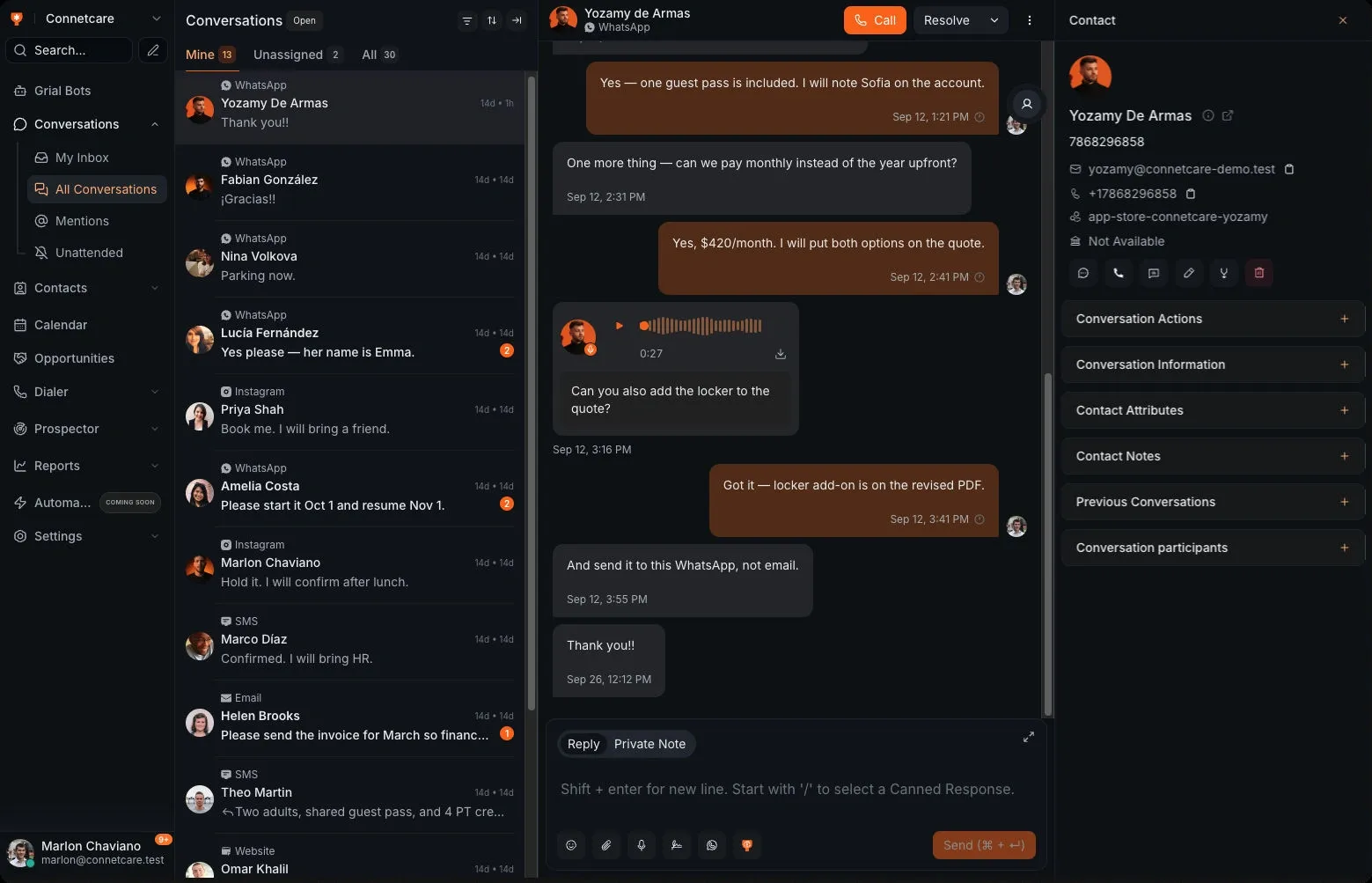
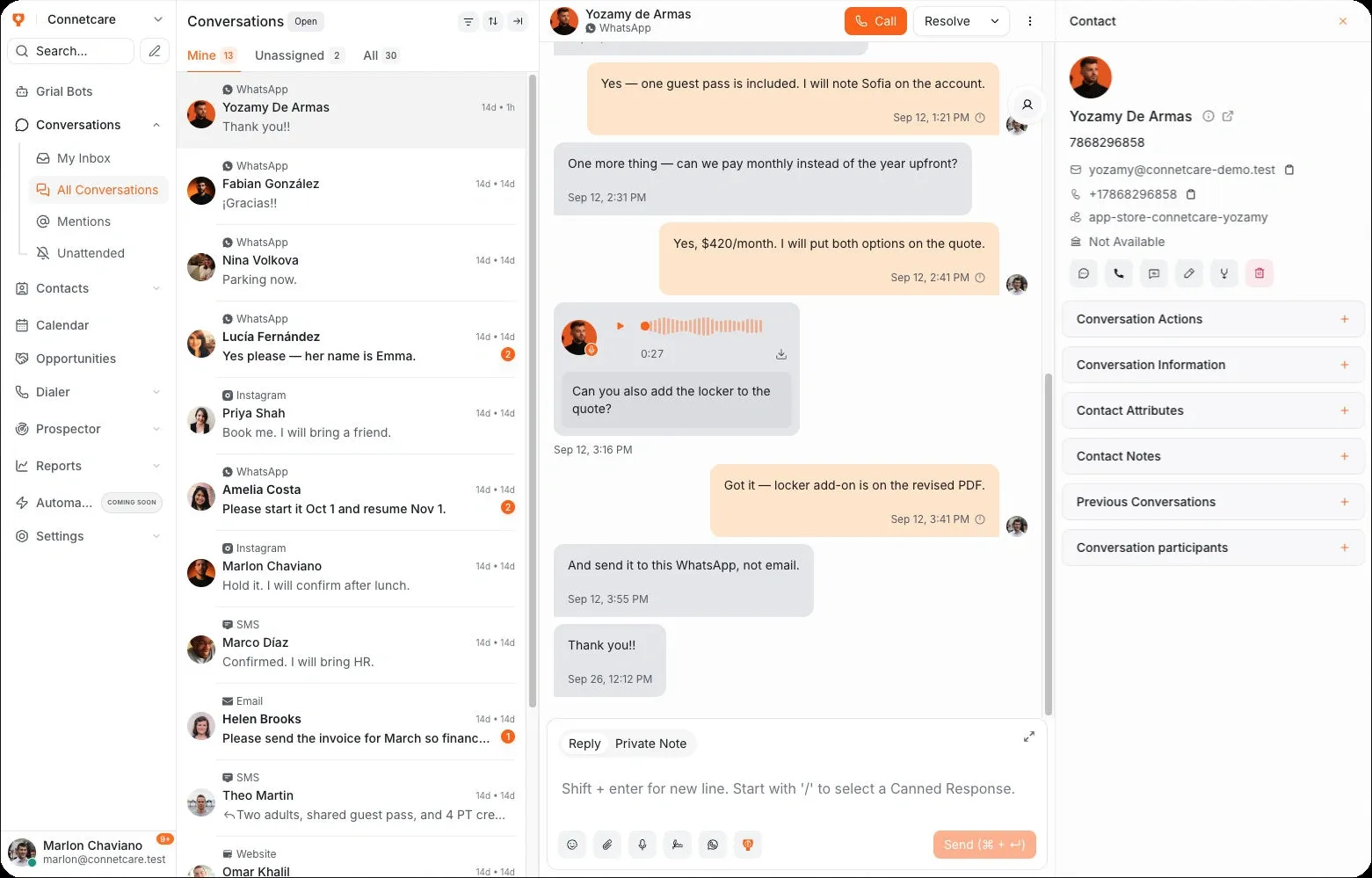
The whole history, next to the reply box
Whoever picks up the conversation can see what was said before, what was quoted, and what happens next — without asking a colleague who handled it last time.
- Private notes your team sees and the client does not
- Assignment to a person or a team
- Labels and filters to find a conversation later
- The client record and appointment history alongside
What it fixes first
-
The enquiry on somebody's personal WhatsApp
Conversations move into a shared inbox, so nothing is trapped on one phone when that person is off.
-
Two people answering the same client
Assignment and private notes mean the second person can see the first already replied.
-
Deals that quietly stall
Stage conversion shows where opportunities stop moving, while there is still time to act.
Common questions
What is Inbox & Pipeline?
Grialink Inbox & Pipeline combines a shared customer inbox with a sales CRM. Your team can manage connected messaging channels, contact records, conversation assignments and opportunities by stage without losing the context of each customer.
Which channels arrive in the inbox?
WhatsApp, email and web chat all land in the same list, alongside the other channels Grialink connects. The client record sits beside whichever one they used.
Can I change the pipeline stages?
Yes. Stages are configurable per service type, so the pipeline reflects how your business actually sells rather than a generic template.
Does it replace my CRM?
Grialink includes contacts, conversations, opportunities and appointments. Whether it can replace your current CRM depends on your required workflows, integrations and data. Review these during a demo before migrating.
One connected platform
Connect the rest of your workflow
Connect your next conversation to the next step.
Start with a free account or request a demo. Discover how Grialink connects customer service, sales and follow-up with AI agents and tools your team can control.
No card for the Free plan · Features and usage vary by plan