Grialink Dialer
Your calls belong with your customer conversations.
Grialink Dialer is the platform’s business phone system. Manage available phone numbers, make browser calls and build visual IVR routes. Connect calls to your team or Grial Front Desk while keeping call history alongside customer records.
Minutes included on every paid plan
- Buy US numbers
- Click-to-call from the browser
- Visual IVR builder
- Minutes included
What the dialer includes
-
Number purchase
Search available US numbers and buy them without leaving Grialink.
-
In-browser calling
No handset or softphone to install.
-
Visual IVR
Lay out the call tree by dragging nodes.
-
Grial Front Desk node
Send chosen calls to Grial Front Desk from inside the flow.
-
Caller ID
CNAM and a verified business profile so your name shows on the call.
-
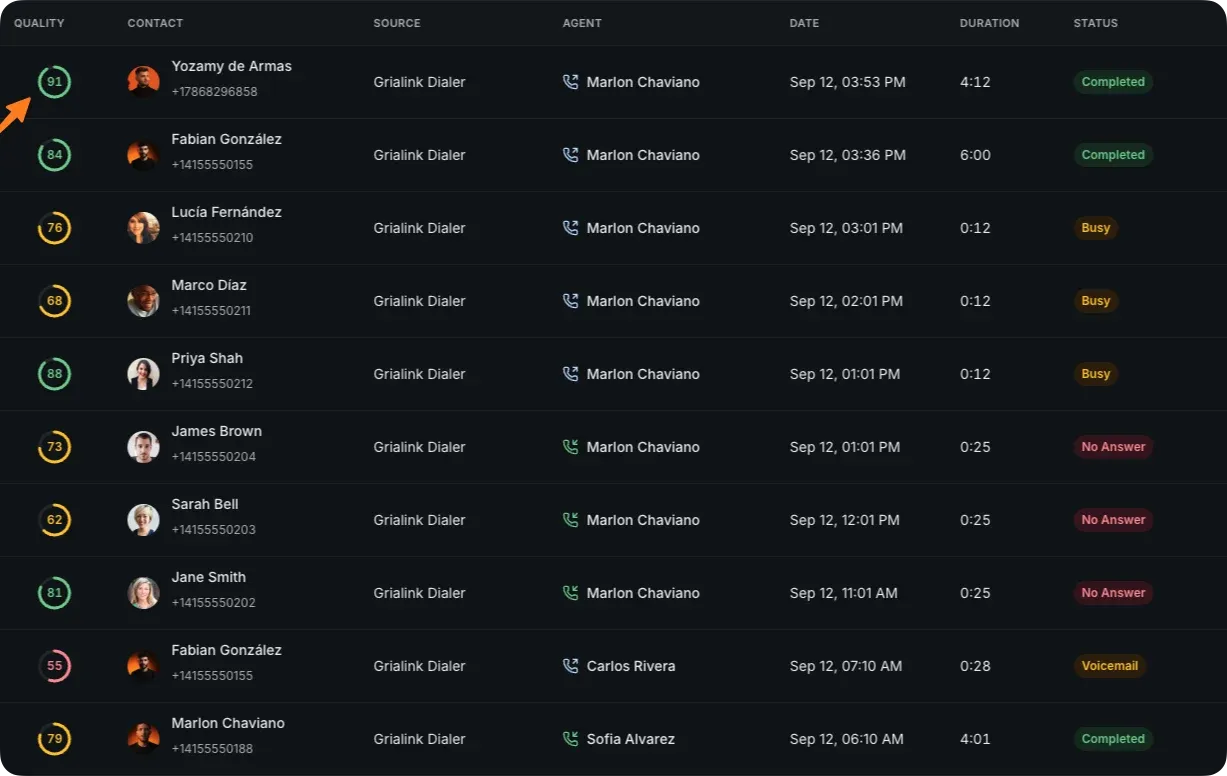
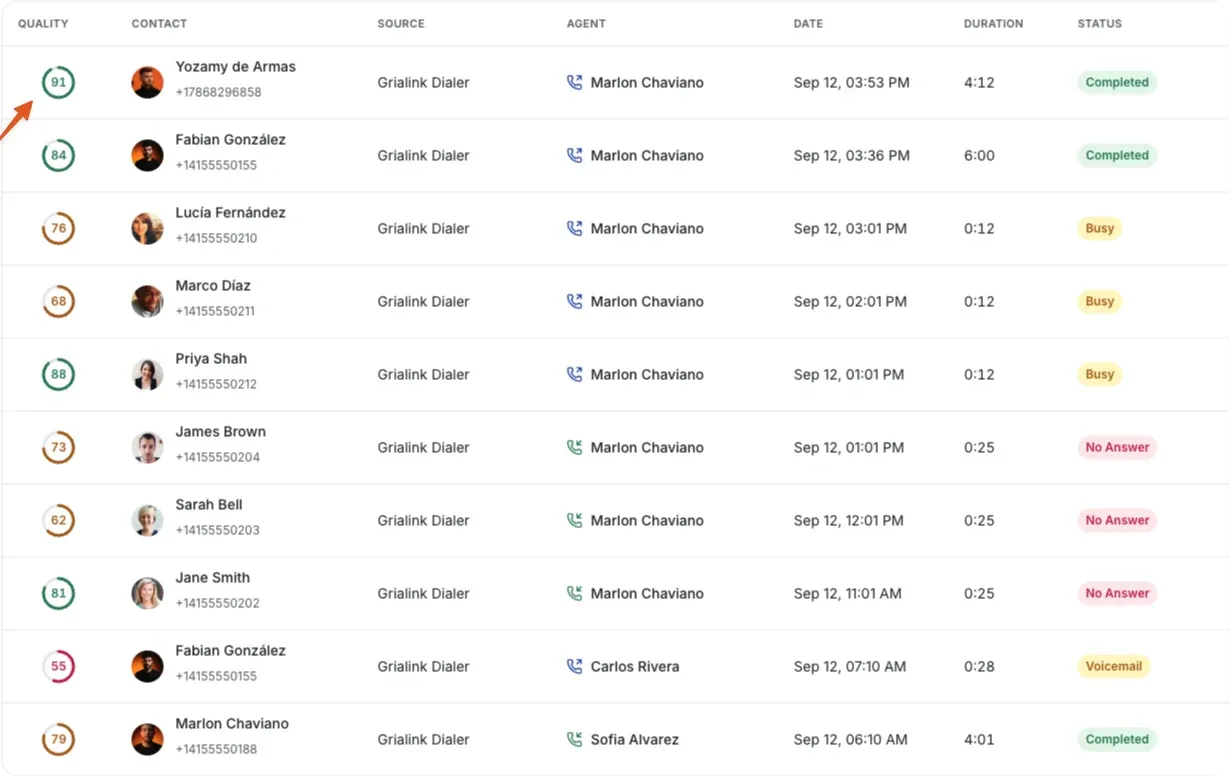
Call history
Every call logged against the contact it belongs to.
Call routing
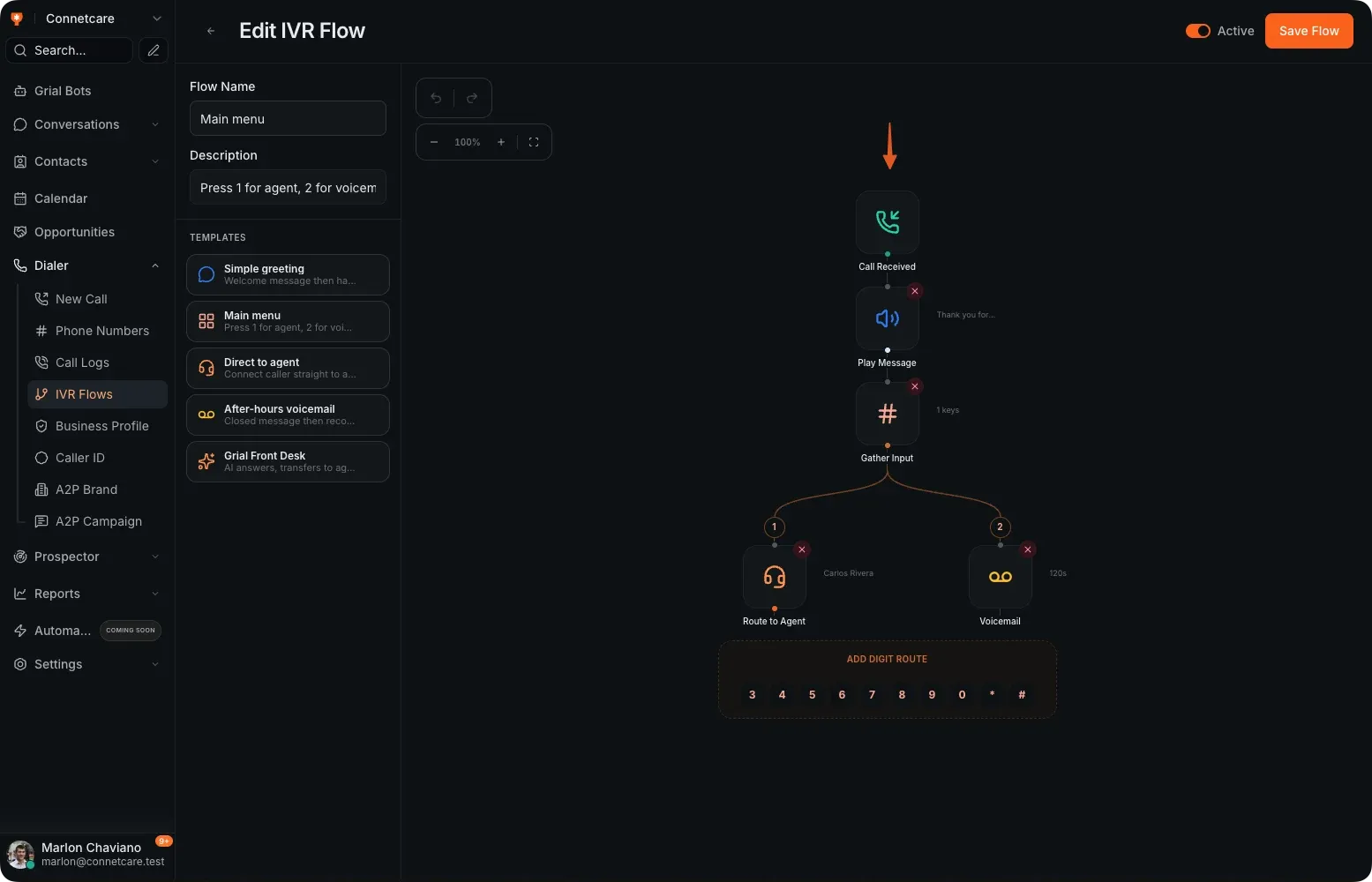
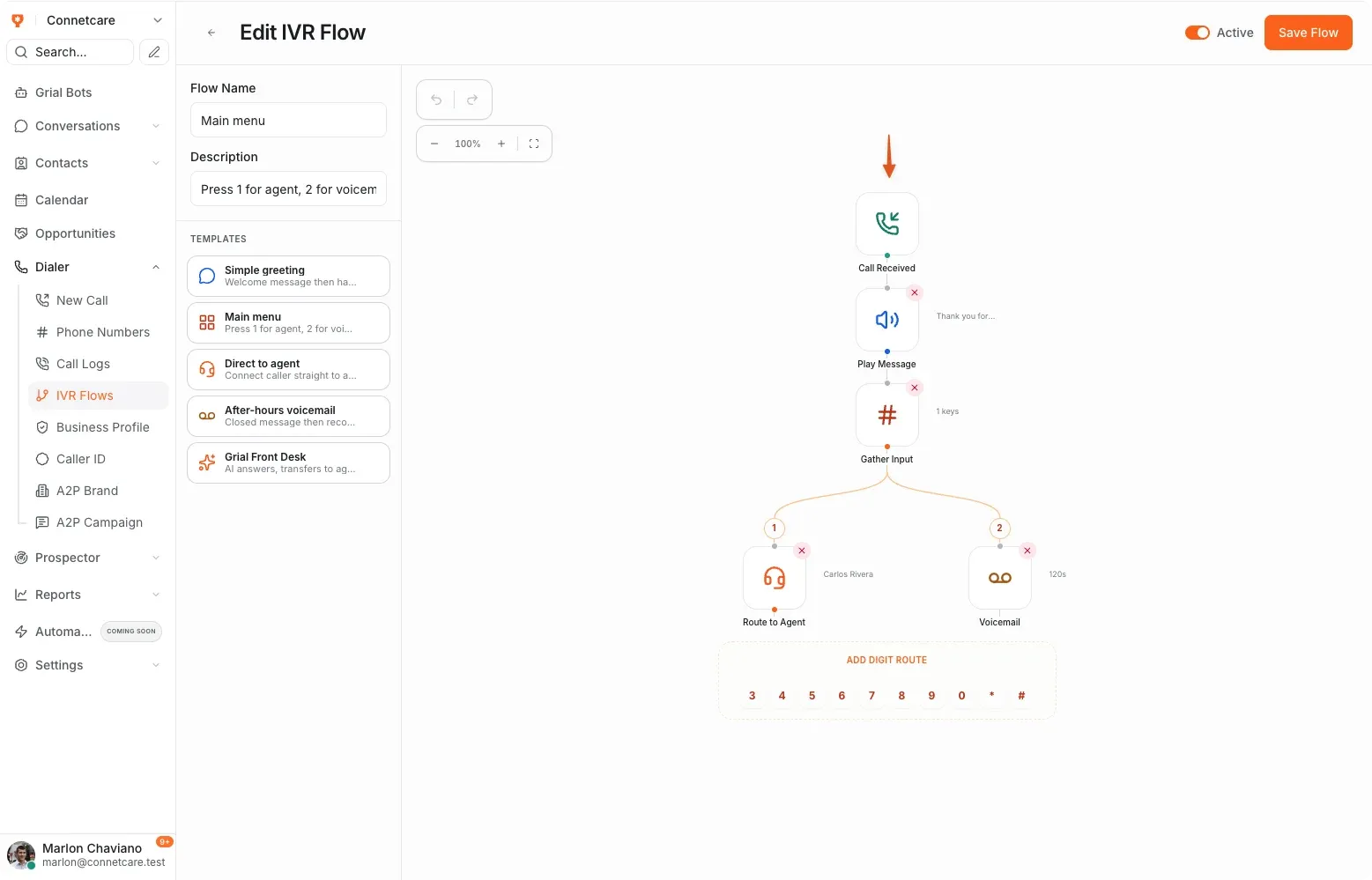
Draw the call flow instead of describing it to a technician
A visual builder for what a caller hears and where they end up — greeting, menu, an agent, voicemail, or Grial Front Desk.
- Visual IVR builder with a node per step
- Templates for greeting, main menu, direct to agent and after-hours voicemail
- A node that hands the call to Grial Front Desk
- Multiple flows, activated when you want them
The calling
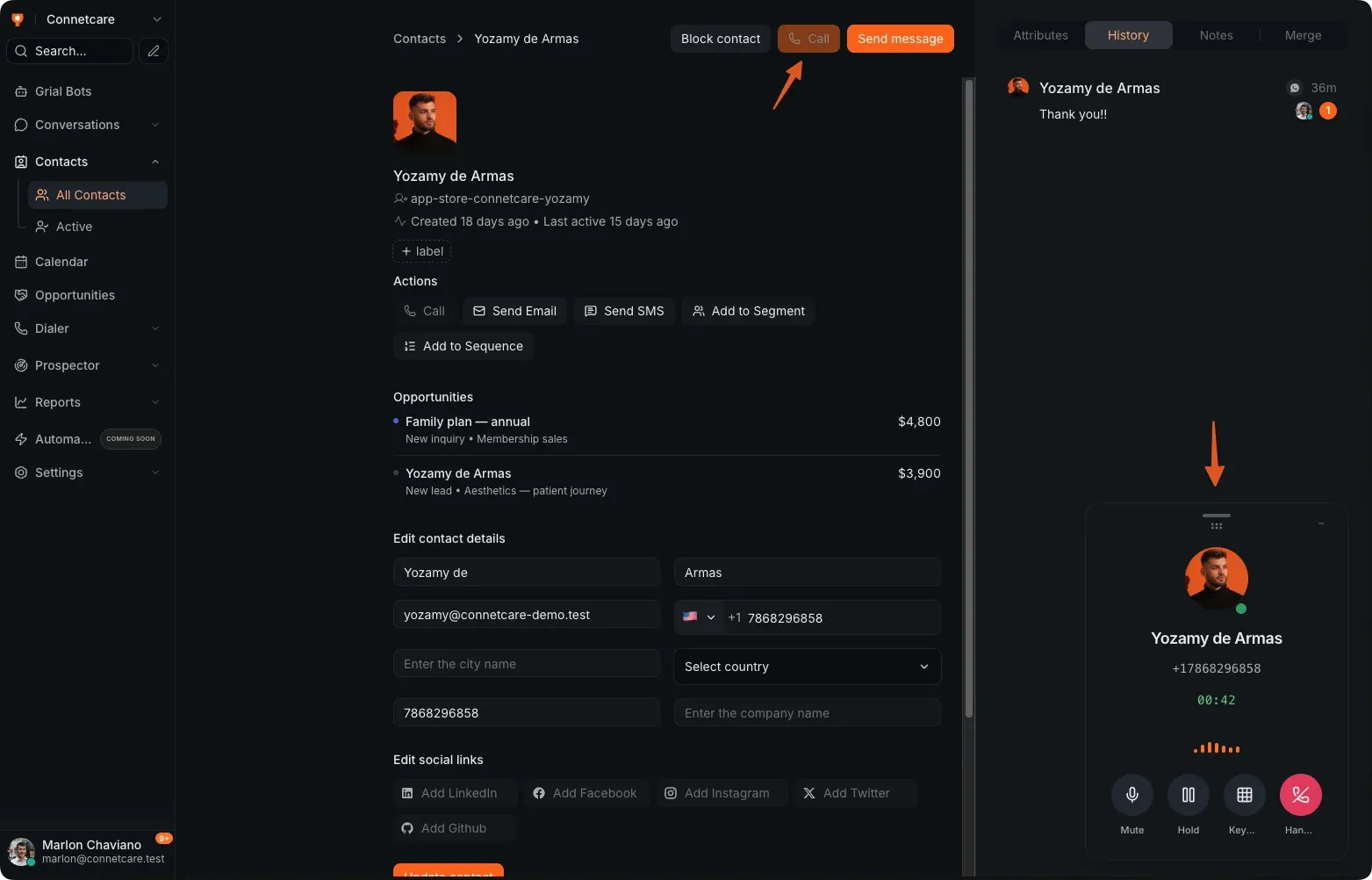
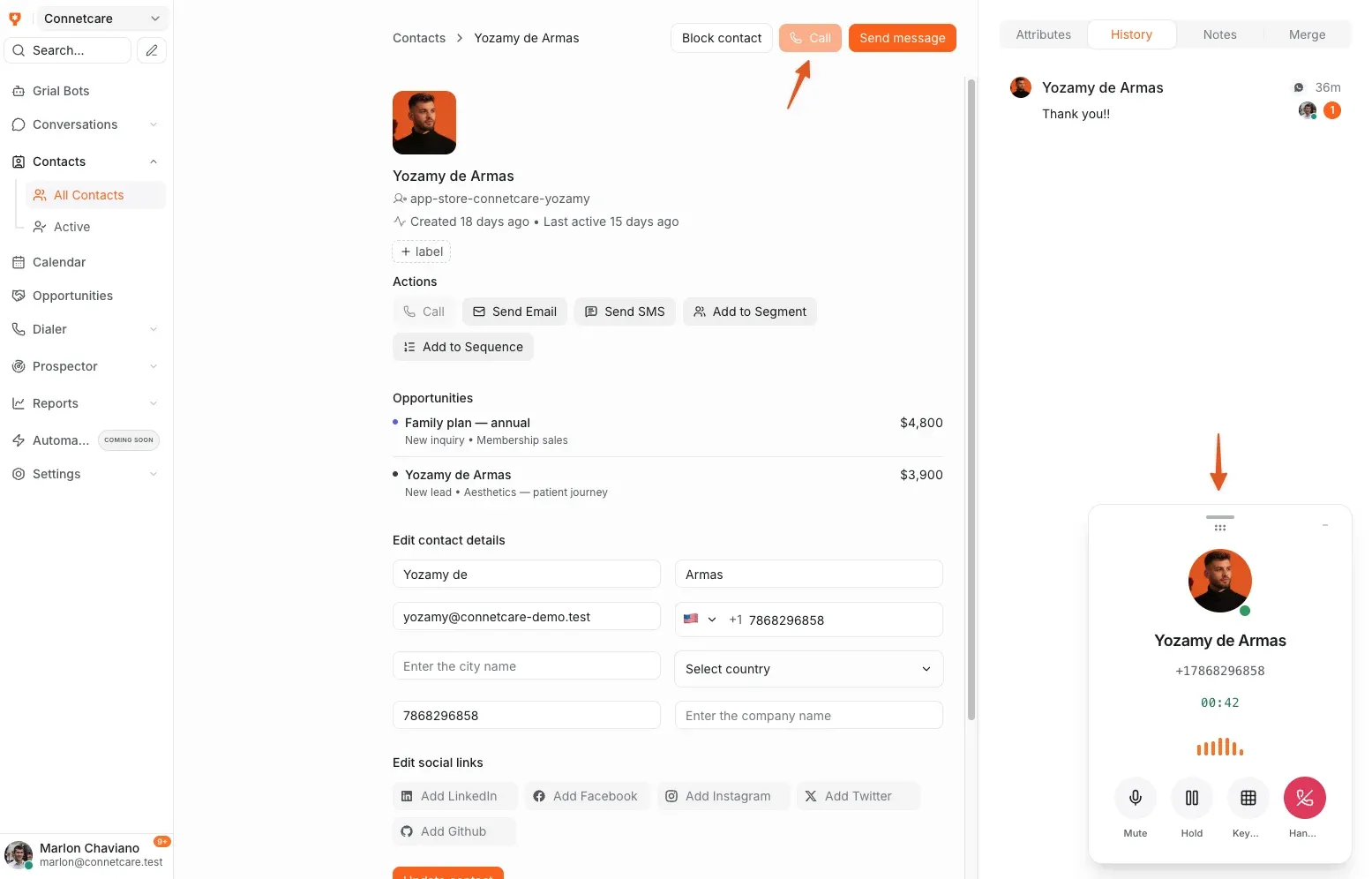
Call from where the client record already is
Click a contact and the call starts in the browser, with the history in front of you and the outcome written back automatically.
- Click-to-call straight from a contact
- Full call history against the client record
- Buy and configure US numbers in-app
- CNAM and a verified business profile so your name shows up
While you talk
The call floats; the workspace keeps working
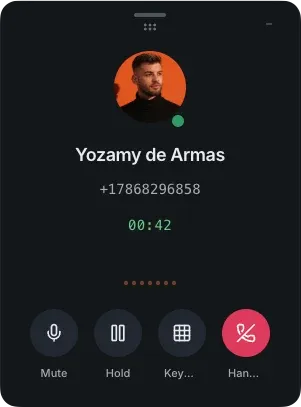
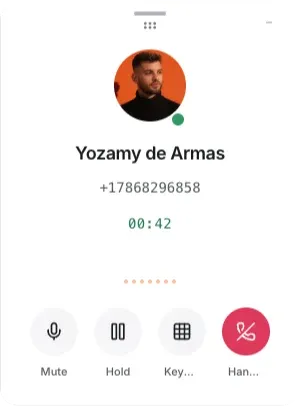
The call panel stays on top wherever you go — mute, hold, keypad and hang up in reach — so you can open the pipeline, read a note or book the next appointment mid-conversation.
- Mute, hold, keypad and hang up always in reach
- Move around Grialink without dropping the call
- Who you are talking to, and for how long, stays on screen
- Drag the panel out of the way, or minimise it
What businesses set up first
-
A single number for the business
One published number that routes to whoever should pick up, instead of a personal mobile.
-
After-hours routing
Daytime calls go to reception; evening calls go to Grial Front Desk or to voicemail.
-
Calling back a new lead
Click-to-call from the contact record, with the whole history already on screen.
Common questions
What is Grialink Dialer?
Grialink Dialer is the platform’s business phone system. Manage available phone numbers, make browser calls and build visual IVR routes. Connect calls to your team or Grial Front Desk while keeping call history alongside customer records.
Do I need a phone system already?
No. You buy a number inside Grialink and calls run in the browser. There is no handset or separate softphone to set up.
How do minutes work?
Paid plans include a monthly allowance of dialer minutes, and you can top up when you need more. The current allowances are on the pricing page.
Can I keep some calls going to people?
Yes. The IVR is yours to lay out — send one keypad option to Grial Front Desk and keep the others going to your team exactly as they do today.
One connected platform
Connect the rest of your workflow
Connect your next conversation to the next step.
Start with a free account or request a demo. Discover how Grialink connects customer service, sales and follow-up with AI agents and tools your team can control.
No card for the Free plan · Features and usage vary by plan