Mobile app

The whole business, in your pocket
Take the call, answer the message, check the day — from your phone.
The first time you open it, Android will ask you to allow unknown sources. That’s expected.
On your phone
Everything the app actually does
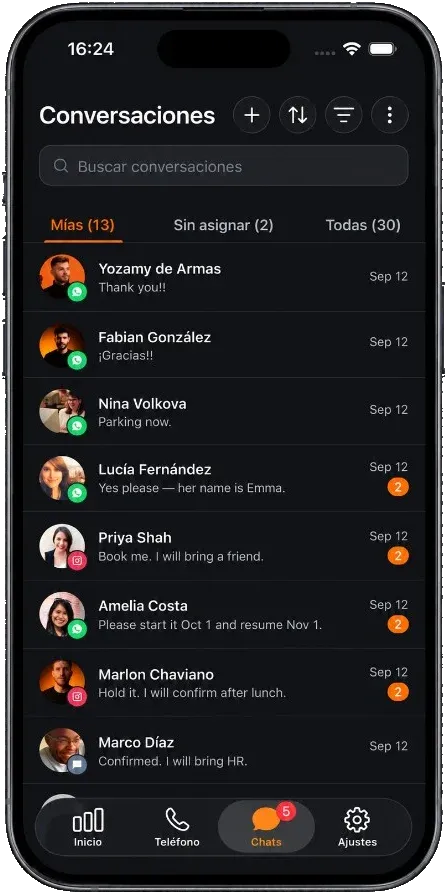
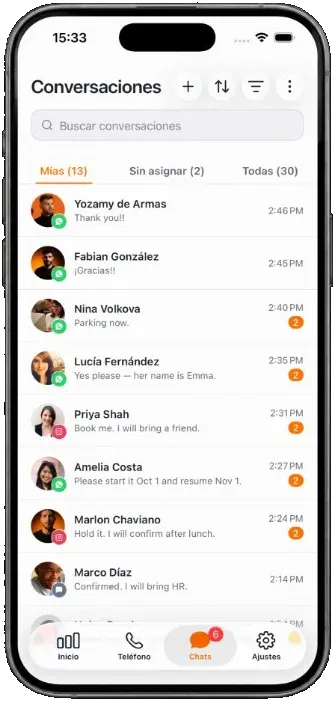
Four tabs — Dashboard, Phone, Chats and Settings — built on the same API as the dashboard, so anything you do on the phone is already there when you sit back down.
-
Phone tab: recents, contacts, keypad
Place calls from any of your Grialink numbers, pick which one you call from, and see your remaining credit before you dial.
-
Real incoming calls
Twilio VoIP over push, so the phone rings like a normal call and the call lands in your system call log.
-
Chats
The full conversation inbox with filters, labels, contact panel and private notes — the same threads your team sees on the web.
-
Command Center dashboard
Bookings, cash collected, leads, close rate, no-show rate and ad spend, on the screen you open first.
-
Push notifications
An unread badge on the app icon, mark-all-read, and one tap to switch between the accounts you belong to.
-
Grial Mind, in the thread
Suggest a reply, fix the wording or change the tone before you send — with a credit balance and a consent prompt on every request.
-
Search everything
One field across contacts, conversations and messages. Find the client by name, number or something they said.
Also: app lock, clinic mode, light and dark themes, and English or Spanish — independent of the language on the web.
Already have a Grialink account?
Sign in on your phone with the same email and password.
Connect your next conversation to the next step.
Start with a free account or request a demo. Discover how Grialink connects customer service, sales and follow-up with AI agents and tools your team can control.
No card for the Free plan · Features and usage vary by plan